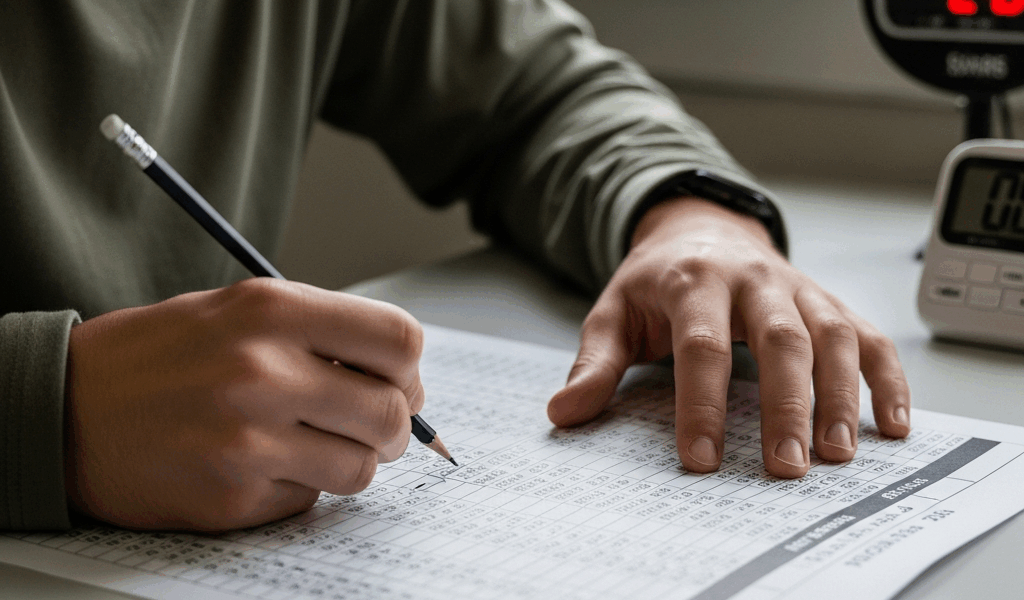
AFOQT Table Reading — How to Hit 40 Questions in 7 Minutes
The Math — 10.5 Seconds Per Question
The AFOQT table reading section broke me the first time I tried it. Not because the concept was hard — it isn’t. You’re looking up values in a table. That’s it. But the AFOQT table reading strategy most people walk in with is basically “read carefully and don’t make mistakes,” and that strategy will eat your clock alive. Forty questions. Seven minutes. Do the division and you land at 10.5 seconds per question. That’s not much room to be careful.
I remember sitting down with a practice test from the Barron’s AFOQT book — the 2nd edition, the one with the orange spine — and running out of time with 14 questions left untouched. That’s not a small miss. That’s 35% of the subtest left blank. My score reflected it. I got a 42 on Table Reading that attempt, which is fine if fine is what you’re going for. It wasn’t.
Here’s the reality of the time constraint. Seven minutes sounds like it should be enough. Table reading feels like a slow, methodical task — the kind of thing you’d do with a ruler and a highlighter and no particular rush. The AFOQT is not that environment. The clock doesn’t care how meticulous you are. You get 10.5 seconds per question, and if you’re spending 18 seconds on the easy ones, you’re already behind by question four.
Most test-takers fail this section for one of two reasons. Either they don’t practice the actual physical mechanics of finding values fast, or they practice accuracy without ever training their speed. Both failures produce the same result — a pile of unanswered questions at the end of the section that drags their percentile score down. The AFOQT is a competitive exam. You’re not just passing or failing. You’re being ranked against other candidates for pilot training slots.
What I eventually figured out — after a lot of frustrating timed runs — is that the table reading section isn’t really a reading comprehension challenge. It’s a motor skill wrapped in a test format. The people who score in the 90th percentile on this subtest have automated the lookup process so completely that they barely think about it. The eyes go to the column, the finger goes to the row, the value appears. Done. Move on. The thinking happens at the answer choices, not at the table.
That shift in framing changed everything for me. Once I stopped trying to “read” the table carefully and started training the physical habit of finding intersections fast, my practice times dropped from 18 seconds per question to right around 10. Probable should have figured that out six weeks earlier, honestly.
The Finger-Tracking Method
Trained by repeated failure and one very useful conversation with a prior-service pilot I met at a MEPS processing event, I started using the two-finger method and never looked back. It sounds almost embarrassingly simple. One finger on the X-axis value given in the question. One finger on the Y-axis value. Slide them toward each other until they meet. Read the number at the intersection. Done.
That’s the whole technique. But execution matters enormously here, and the details are what most people skip over.
Setting Up Your Fingers Correctly
Use your non-dominant hand index finger for the column (X-axis) and your dominant hand index finger for the row (Y-axis). The reason for that assignment is that most people track horizontal movement more naturally with their writing hand. Your dominant finger slides across the row while your other finger drops straight down from the column header. They converge at the intersection. It takes maybe two seconds once you’ve practiced it a hundred times.
The temptation is to do this with your eyes instead of your fingers. Don’t. The human eye wanders. It skips rows. It lands on adjacent cells without realizing it. That’s how you get a question wrong that you absolutely knew the answer to — you looked up the right column and the wrong row and the values were close enough that nothing flagged as wrong. Fingers don’t wander. They stay planted until you tell them to move.
What to Do With the Answer Choices
Look at your intersection value first. Then look at the answer choices. Do not preview the answer choices before you look up the value. This is a trap that slows you down because your brain starts pattern-matching against the choices instead of just reading the table cleanly. You’ll second-guess a clear answer because one of the distractors is close. Read the table. Then confirm against answers. In that order, every single time.
The One Rule You Cannot Break
Do not re-read the table. If you found a value and it matches one of the answer choices, mark it and move. The instinct to double-check costs you three to five seconds per question. Over 40 questions, that’s potentially two full minutes lost to re-verification. At 10.5 seconds per question, two minutes is roughly 11 to 12 questions. You will not recover that time. Trust the fingers, read the value once, mark your answer, go.
I made the re-reading mistake for probably the first three weeks of practice. It felt responsible. It felt like the cautious, test-taking thing to do. It was burning my time and I didn’t realize it until I actually stopwatched individual questions and saw I was averaging 16 seconds with the double-check versus 9 seconds without it. The accuracy difference? Less than 2%. Not worth it.
Speed Drill — Build From 20 Seconds to 10 Seconds
The training progression matters. You don’t jump straight to 10.5 seconds. Your brain isn’t ready for that yet, and forcing speed before accuracy is locked in just produces fast wrong answers. Here’s the three-phase progression I used, and that I’ve seen work for other people who’ve tested it.
Phase One — 20 Seconds Per Question
Start with a stopwatch app — I used the Seconds Pro app on iOS, $4.99 at the time — set to a 20-second repeating interval. One question per interval. At 20 seconds, the goal is perfect accuracy. Use the two-finger method on every single question, no exceptions. Build the habit. Get your error rate to zero or near-zero before moving forward. For most people, this takes one to two days of practice with 40-question sets. Don’t rush it.
Phase Two — 15 Seconds Per Question
Drop to 15 seconds once you’re hitting 95% accuracy or better at 20. The 15-second phase is where the mechanics start to feel natural. You’ll notice your fingers are moving before you’ve fully processed the question. That’s good. That’s the automation kicking in. Your accuracy might dip slightly at first — expect 88 to 92 percent — then stabilize back up as the speed becomes the new normal. Give this phase three to four days minimum.
Phase Three — 10 Seconds Per Question
This is race pace. At 10 seconds, you have almost no margin for hesitation. The fingers go immediately. The value gets read immediately. The answer gets marked immediately. What you’re doing at this point is training your nervous system, not just your test strategy. Your hands should know where to go before your conscious mind has caught up. That sounds dramatic. It’s real. Timed repetition at this interval creates a physical response pattern that you can walk into the actual AFOQT and rely on under pressure.
Target 38 out of 40 correct at 10 seconds per question before you consider yourself ready. That buffer matters because real test conditions — nerves, a slightly different table format, a noisy testing room — will cost you a few percentage points.
5 Practice Tables With Timed Answers
These tables are formatted to match the actual AFOQT structure. Set a timer. Use the finger-tracking method. Don’t re-read.
Practice Table 1
The table below uses X-values from −2 to 2 across the top and Y-values from −2 to 2 down the left side. Find the value at the intersection for each question.
| Y \ X | −2 | −1 | 0 | 1 | 2 |
|---|---|---|---|---|---|
| −2 | 14 | 22 | 37 | 45 | 51 |
| −1 | 19 | 28 | 33 | 41 | 56 |
| 0 | 23 | 31 | 40 | 47 | 62 |
| 1 | 27 | 35 | 44 | 52 | 67 |
| 2 | 30 | 38 | 49 | 58 | 71 |
- X = 1, Y = −1 → (A) 41 (B) 45 (C) 33 (D) 47
- X = −2, Y = 2 → (A) 23 (B) 19 (C) 30 (D) 27
- X = 0, Y = 0 → (A) 44 (B) 37 (C) 49 (D) 40
- X = 2, Y = 1 → (A) 62 (B) 67 (C) 71 (D) 58
- X = −1, Y = −2 → (A) 28 (B) 22 (C) 31 (D) 35
Answers — Practice Table 1: 1-A, 2-C, 3-D, 4-B, 5-B
Question 1 is the most common miss. X = 1, Y = −1 puts you in the second row from the top (Y = −1) and the fourth column (X = 1). The value is 41. If you picked 45, you read Y = −2 instead of Y = −1. Classic one-row slip. The two-finger method prevents exactly that.
Practice Table 2
| Y \ X | −2 | −1 | 0 | 1 | 2 |
|---|---|---|---|---|---|
| −2 | 8 | 16 | 24 | 32 | 40 |
| −1 | 11 | 19 | 27 | 35 | 43 |
| 0 | 15 | 23 | 31 | 39 | 47 |
| 1 | 18 | 26 | 34 | 42 | 50 |
| 2 | 21 | 29 | 37 | 45 | 53 |
- X = 0, Y = 2 → (A) 31 (B) 37 (C) 34 (D) 27
- X = −1, Y = 0 → (A) 19 (B) 26 (C) 23 (D) 16
- X = 2, Y = −2 → (A) 47 (B) 43 (C) 53 (D) 40
- X = 1, Y = 1 → (A) 39 (B) 45 (C) 42 (D) 50
- X = −2, Y = −1 → (A) 8 (B) 15 (C) 11 (D) 18
Answers — Practice Table 2: 1-B, 2-C, 3-D, 4-C, 5-C
Practice Table 3
| Y \ X | −2 | −1 | 0 | 1 | 2 |
|---|---|---|---|---|---|
| −2 | 55 | 48 | 42 | 36 | 29 |
| −1 | 60 | 53 | 46 | 39 | 33 |
| 0 | 64 | 57 | 50 | 44 | 38 |
| 1 | 68 | 61 | 54 | 48 | 42 |
| 2 | 72 | 65 | 58 | 52 | 46 |
- X = 2, Y = 2 → (A) 52 (B) 38 (C) 46 (D) 42
- X = −1, Y = 1 → (A) 57 (B) 65 (C) 53 (D) 61
- X = 0, Y = −1 → (A) 50 (B) 46 (C) 42 (D) 54
- X = 1, Y = −2 → (A) 29 (B) 36 (C) 44 (D) 39
- X = −2, Y = 0 → (A) 68 (B) 72 (C) 60 (D) 64
Answers — Practice Table 3: 1-C, 2-D, 3-B, 4-B, 5-D
Practice Table 4
| Y \ X | −2 | −1 | 0 | 1 | 2 |
|---|---|---|---|---|---|
| −2 | 77 | 69 | 61 | 53 | 45 |




Stay in the loop
Get the latest afoqt prep updates delivered to your inbox.