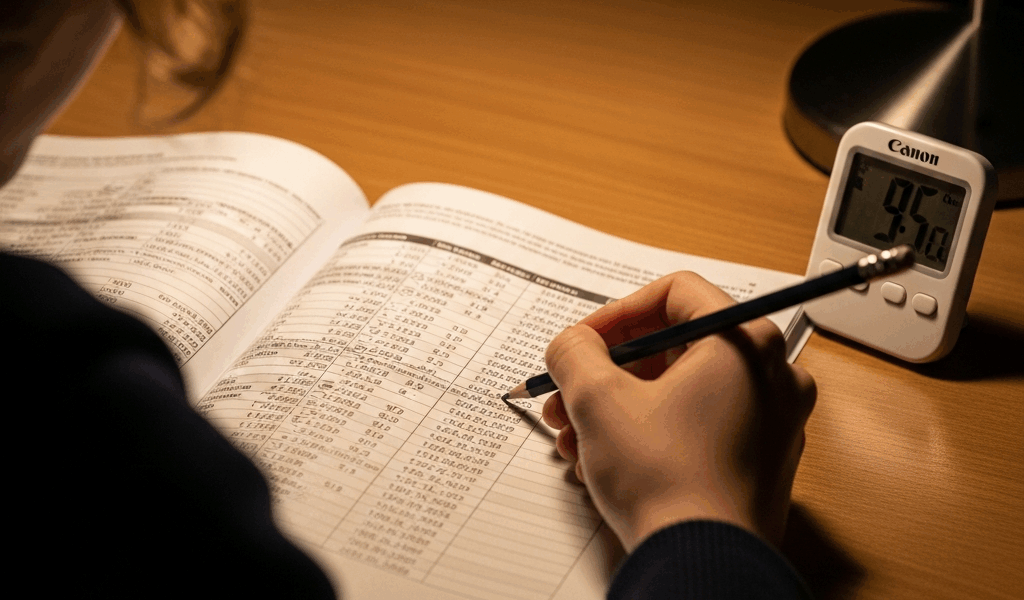
What Table Reading Actually Tests
The AFOQT table reading section has gotten complicated with all the speed-reading advice floating around. Here’s what it actually measures: your ability to locate and extract information from rows and columns under extreme time pressure. Twenty questions in 5 minutes flat. That’s 15 seconds per question if you’re moving efficiently, though in practice most people need 18–22 seconds on the harder items and just 10 seconds on the easiest ones.
I spent three weeks prepping for the AFOQT and thought I had a handle on speed reading. Wrong. Turns out, speed reading and table reading are completely different animals. Speed reading lets you skip words. Table reading demands absolute precision — you’re matching specific numeric or alphanumeric values against row and column headers, then finding the intersection point. One misread digit and you’ve picked the wrong answer entirely.
But what is table reading, exactly? In essence, it’s visual pattern matching under time constraint. But it’s much more than that. The format is straightforward but unforgiving. You see a table with labeled rows on the left and labeled columns across the top. The cells contain numbers, sometimes decimals. A question asks you to find a value at a specific intersection, verify a row or column identity, or compare two values. The answer choices are always single numbers or letters that appear somewhere in the table — or don’t appear at all.
What makes this section brutal isn’t complexity. It’s pace combined with the cognitive load of simultaneous visual scanning and decision-making. Your brain has to locate a row label, locate a column label, trace to their intersection without losing your place, read the value, and select the answer before your 18 seconds are gone.
The Three Question Type Patterns You’ll See
Type 1 — The Intersection Lookup
This is the most common pattern. The question names a specific row and column, and you find the value where they meet. Simple conceptually. Faster execution-wise than the other types, usually doable in 12–15 seconds if you’re focused.
Here’s a sample table:
Table: Quarterly Sales by Region
| Region | Q1 | Q2 | Q3 |
| North | 4,250 | 3,890 | 5,120 |
| South | 3,680 | 4,270 | 3,950 |
| East | 5,100 | 5,340 | 4,680 |
Question: What is the Q2 value for the South region?
Answer choices: A) 4,270 B) 4,250 C) 3,890 D) 5,340
Worked example: Locate South in the row labels (second row). Move right to the Q2 column (second column). The intersection cell reads 4,270. Answer is A. Use your finger to trace without lifting it — this should take 12 seconds maximum.
Type 2 — The Row or Column Label Identification
Less common but trickier. The question gives you a value and asks which row or column it belongs to, or which row/column contains multiple specific values. These require scanning the table more broadly rather than pinpointing a single cell.
Question: Which region had sales of 5,100 in Q1?
Answer choices: A) North B) South C) East D) West
Worked example: Scan the Q1 column top to bottom: 4,250 (North), 3,680 (South), 5,100 (East). Answer is C. This takes 15–18 seconds because you’re reading down an entire column instead of locating one cell.
Type 3 — The Comparative or Relationship Question
The question might ask “Which quarter had the highest East region sales?” or “Is the North Q3 value greater than the South Q2 value?” You need to locate multiple cells and mentally compare them.
Question: Which of the following is the highest single quarterly value shown?
Answer choices: A) 5,100 B) 5,340 C) 5,120 D) 4,680
Worked example: You could scan every cell, but that wastes time. Instead, pre-read the answer choices and look for them in the table. The 5,340 appears in the East Q2 cell. Check if any answer choice exceeds this: 5,100 (no), 5,120 (no), 4,680 (no). Answer is B. This approach takes 18–22 seconds but feels more controlled.
Speed Techniques That Actually Work
Probably should have opened with this section, honestly. Most people fail AFOQT table reading not because the content is hard but because they use inefficient scanning patterns.
The Finger-Trace Method
Use your index finger or a pen to trace horizontally along the row while your eyes move vertically down the column simultaneously. Keep your finger on the row label, move it right to the target column, keep your eyes on the column header, move them down to meet your finger. This eliminates the common error of losing your place mid-scan — at least if you want accuracy over 80%.
Pre-Read Answer Choices First
Before looking at the table, read all four answer choices. This serves two purposes: it primes your brain to recognize those specific values or labels, and it reveals whether you’re looking for a number, a region name, or a time period. On Type 3 questions especially, this cuts your search time in half.
Mental Chunking by Grid Quadrant
Don’t treat a 10×10 table as 100 cells. Divide it mentally into quadrants. If the question asks for a value in the lower-right quadrant, ignore the upper-left. This is genuinely faster than systematic scanning — which seems counterintuitive until you actually time yourself doing it.
Decimal Point Awareness
Tables sometimes include decimals: 3.45, 12.7, 8.002. Your brain processes the whole number first, which is why transposing digits (reading 3.45 as 3.54) happens so easily under pressure. Say the decimal aloud to yourself — literally whisper “three point four five” — to lock it into working memory.
Timing Benchmark
Aim for 18–22 seconds per question, which gives you a 2–3 second buffer per item over the 5-minute window. If you’re consistently taking more than 25 seconds, you’re overthinking. If you’re at 10 seconds but getting answers wrong, slow down 5 seconds and check your work.
Common Mistakes That Cost You Points
After reviewing AFOQT performance data and student debriefs, three error patterns emerge repeatedly. Don’t make my mistake — that is, don’t ignore these because you think they won’t happen to you.
Misreading Row or Column Headers
You find what you think is “East” but it’s actually “West.” You scan Q2 when the question asked for Q3. This happens because you’re rushing the initial label matching. The fix is straightforward: point directly at the header with your finger before moving into the table. Spend 3 seconds confirming the exact header match before tracing to the cell.
Transposing Numbers (The Off-By-One Error)
The cell contains 4,270. You write down 4,720 or 4,207. Under pressure, your visual system captures the digits but your motor output scrambles them. I made this mistake on exactly three questions during my practice and didn’t catch it because I wasn’t reviewing my pencil markings against the table. Solution: after writing your answer, look back at the table and say the number aloud before moving to the next question.
Confusing Similar Answer Choices
Two answer choices are nearly identical: 5,120 and 5,210. You found the right cell, but you picked the wrong lettered option because you weren’t careful reading the multiple choice. This is technically not a table reading error — it’s a test-taking error. But it costs points. Read all four choices slowly after locating the correct value, even if you’re confident you’ve found it.
Practice Strategy for Table Reading Mastery
Phase 1 — Isolated Drills by Question Type
Don’t jump straight into full-section practice. Spend 2–3 days drilling only Type 1 questions (intersection lookups) until you’re consistently accurate in 12–14 seconds. Then Type 2 for another 2–3 days. Then Type 3. This builds pattern recognition without cognitive overload.
Phase 2 — Mixed Sets Under Soft Time Pressure
Mix all three types together, but still allow yourself 25–30 seconds per question rather than the full 15-second pace. Accuracy matters more than speed in this phase. Do 5–10 questions per session, then immediately review every answer — correct or wrong.
Phase 3 — Full-Section Simulations
Once you’re hitting 85%+ accuracy on mixed sets, run full 20-question sections with strict 5-minute timing. Do these on paper with pencil, not on a screen, because the AFOQT is paper-based.
Error Pattern Analysis
Keep a log of wrong answers. Tag each mistake as “misread header,” “transposed digit,” “chose wrong multiple choice,” or “actually confused about the question.” After 30–40 practice questions, you’ll see your personal error pattern. Maybe you misread headers 40% of the time but rarely transpose digits. Address your specific weakness. For misread headers, slow down by 5 seconds on the header-matching step. That single adjustment might get you from 75% to 88% accuracy — which is the difference between competitive and strong.
Related prep: If table reading is giving you trouble, instrument comprehension questions often use similar visual scanning skills. Practice both together. Also, work on your overall AFOQT time management so you’re not rushing table reading because you fell behind on verbal analogies earlier. That’s apparently where most test-takers tank their performance.



Stay in the loop
Get the latest afoqt prep updates delivered to your inbox.